Scoped API Keys
Grant fine-grained access to a workspace's resources.
Scoped API keys are in early access.
During this period, scoped API keys are continuing to evolve and might introduce breaking changes.
All requests to the Render API must authenticate using an API key. Scoped API keys limit access to resources within a specific workspace, letting you grant each key only the permissions it requires.
Setup
1. Create an API key
-
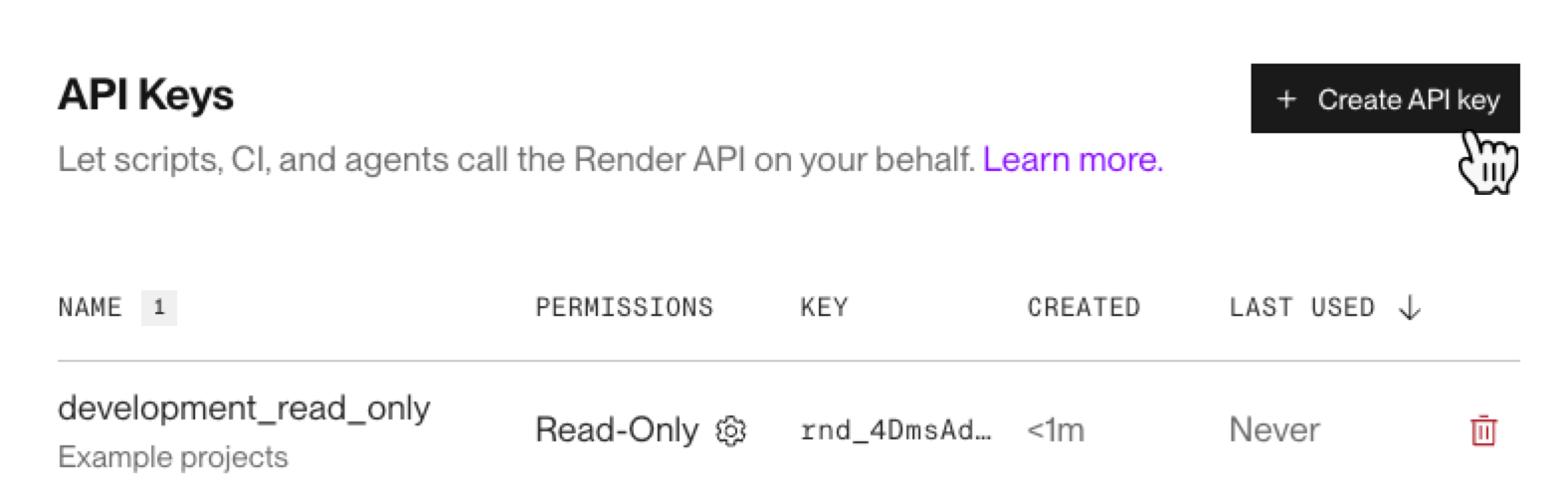
Go to your Account Settings page in the Render Dashboard and click Create API key.
-
Give your key a name.
-
Select the workspace your key can access.
-
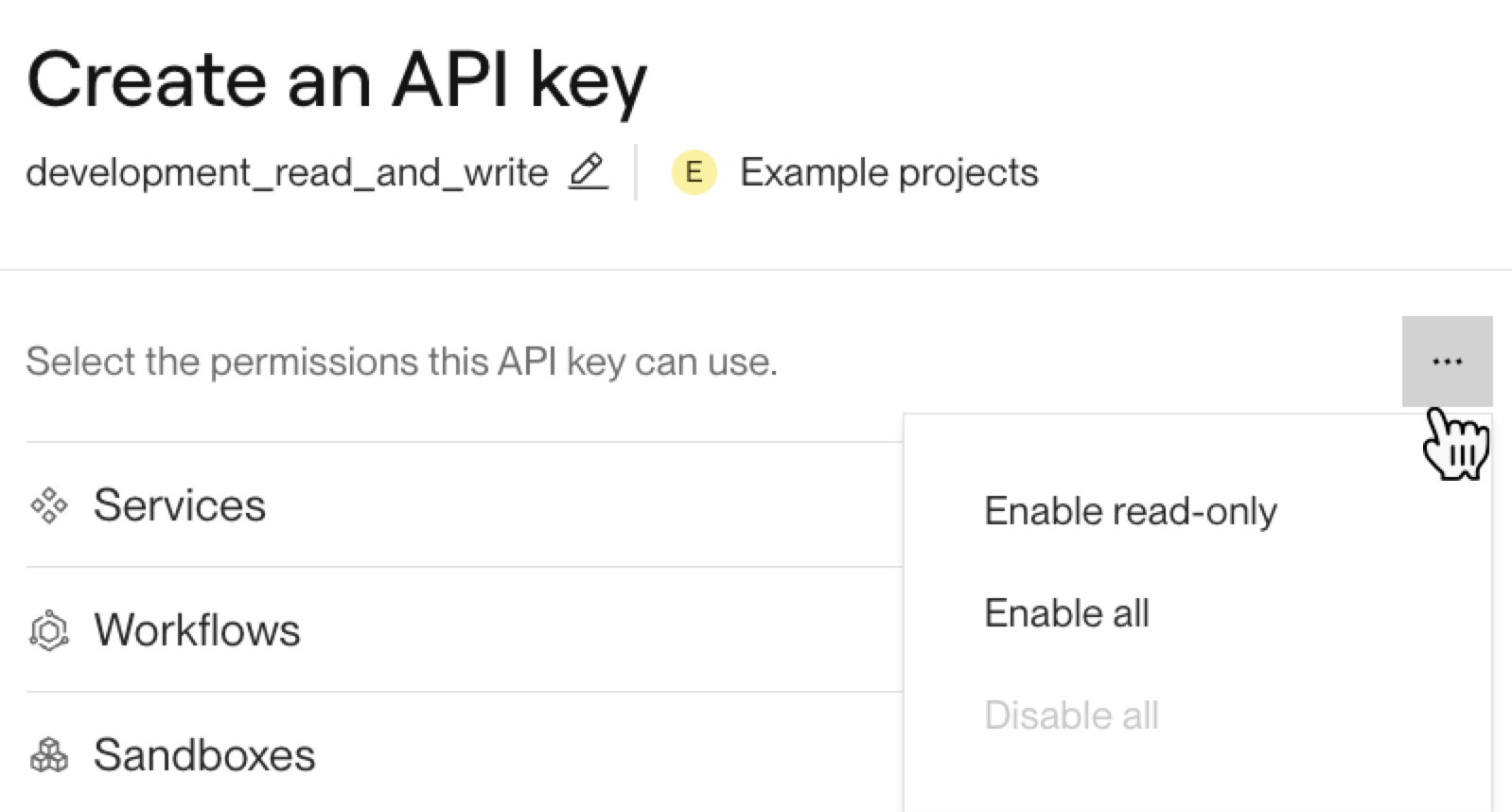
Grant your key permissions. For details, see Permissions.
-
You can also grant permissions to all resources in a workspace by clicking the ••• menu and selecting an option.
-
-
Click Generate API key. An API key is shown in full only once, when it's created:
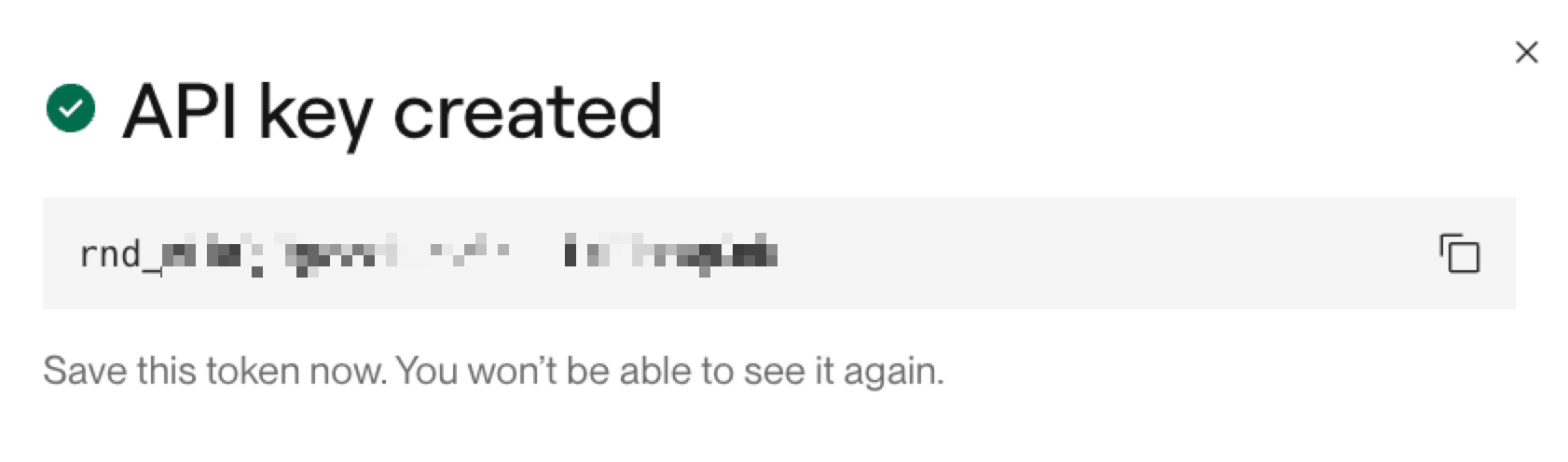


API keys are secret credentials!
Don't publicly post your API key, commit it to version control, or otherwise share it with anyone outside your organization. If you believe an API key has been compromised, revoke it.
2. Make your first request
To test your API key, make a request to an endpoint that your key has permission to access.
For example, if your key has Read permissions on Services, it can access the List services endpoint. You can test your key by running the following command, replacing {API_KEY} with your new key:
If your API key is valid, the request returns a 200 response and an array of services.
Change an key permissions
To change a key's permissions:
-
Go to your Account Settings page in the Render Dashboard and scroll down to the API Keys section.
-
Click the gear icon next to the key you want to update:

-
Change your key's permissions, then click Save changes.

Revoke an API key
Revoking an API key takes effect immediately.
If you're still using the key, replace it before revoking it.
To revoke an API key:
-
Go to your Account Settings page in the Render Dashboard and scroll down to the API Keys section.
-
Click the trashcan icon next to the key you want to revoke:

-
Follow the on-screen instructions to confirm.

Permissions
Your member role in the selected workspace determines which permissions you can grant a scoped API key.
The following tables list the permissions you can grant for each resource type.
Services
| Permission | Action | Read | Read & write |
|---|---|---|---|
|
Web and private services, static sites, background workers, and cron jobs |
View services and their configuration | 🟢 | 🟢 |
|
Create services | ❌ | 🟢 | |
|
Update service configuration | ❌ | 🟢 | |
|
Delete services | ❌ | 🟢 | |
|
Manage preview environments and one-off jobs | ❌ | 🟢 | |
|
Environment variables and secret files |
View environment variable and secret file values | 🟢 | 🟢 |
|
Set environment variable and secret file values | ❌ | 🟢 |
Workflows
| Permission | Action | Read | Read & write | Run |
|---|---|---|---|---|
|
Workflows |
View workflows, versions, and task-run inputs and results | 🟢 | 🟢 | ➖ |
|
Create and update workflows and versions | ❌ | 🟢 | ➖ | |
|
Workflow secrets |
View workflow environment variables and secret files | 🟢 | ➖ | ➖ |
|
Run workflow tasks |
Trigger and cancel workflow task runs | ➖ | ➖ | 🟢 |
Sandboxes
Render Sandboxes is in public beta.
APIs, defaults, and limits might change during the beta period.
| Permission | Action | Read | Read & write | Execute |
|---|---|---|---|---|
|
Sandbox lifecycle and snapshots |
View sandboxes, sandbox groups, and snapshots | 🟢 | 🟢 | ➖ |
|
Create and terminate sandboxes | ❌ | 🟢 | ➖ | |
|
Create and delete snapshots | ❌ | 🟢 | ➖ | |
|
Sandbox execution and file transfer |
Run commands in sandboxes | ➖ | ➖ | 🟢 |
|
Upload and download files | ➖ | ➖ | 🟢 |
Deploys
| Permission | Action | Read | Run |
|---|---|---|---|
|
Deployment information |
View deploys, their status, and history | 🟢 | 🟢 |
|
Run deployments |
Trigger a deploy | ❌ | 🟢 |
|
Cancel a deploy | ❌ | 🟢 | |
|
Trigger rollbacks | ❌ | 🟢 |
Monitoring
| Permission | Action | Read |
|---|---|---|
|
Read resource logs, metrics, events, and export settings |
View service events | 🟢 |
|
View service metrics | 🟢 | |
|
View service logs | 🟢 | |
|
View log forwarding and metrics stream settings | 🟢 |
Postgres
| Permission | Action | Read | Read & write |
|---|---|---|---|
|
Postgres |
View databases and their configuration | 🟢 | 🟢 |
|
Create, update, and delete databases | ❌ | 🟢 | |
|
Postgres credentials and connection details |
View connection strings and credentials | 🟢 | 🟢 |
|
Create and delete database credentials | ❌ | 🟢 | |
|
Postgres exports and backups |
View and download exports and backups | 🟢 | 🟢 |
|
Create exports and backups | ❌ | 🟢 |
Key Value
| Permission | Action | Read | Read & write |
|---|---|---|---|
|
Key Value |
View Key Value instances and their configuration | 🟢 | 🟢 |
|
Create, update, and delete Key Value instances | ❌ | 🟢 | |
|
Key Value connection details |
View Key Value connection details | 🟢 | ➖ |
Object storage
Object storage is in early access.
During this period, object storage is continuing to evolve and might introduce breaking changes.
| Permission | Action | Read | Read & write |
|---|---|---|---|
|
Objects and blobs |
View and download objects | 🟢 | 🟢 |
|
Upload and delete objects | ❌ | 🟢 |
Build sources
Build reuse is in limited early access.
During this period, build reuse is continuing to evolve and might introduce breaking changes.
| Permission | Action | Read | Read & write |
|---|---|---|---|
|
Build sources and builds |
View build sources, their configuration, and build metadata | 🟢 | 🟢 |
|
Create build sources | ❌ | 🟢 | |
|
Update and delete build sources | ❌ | 🟢 | |
|
Trigger builds | ❌ | 🟢 | |
|
Build-source environment variables and secret files |
View build-source environment variables and secret files | 🟢 | 🟢 |
|
Update and delete build sources | ❌ | 🟢 | |
|
Trigger builds | ❌ | 🟢 | |
|
Set build-source environment variable and secret file values | ❌ | 🟢 |
Workspaces
| Permission | Action | Read | Read & write |
|---|---|---|---|
|
Members, notifications, webhooks, and log and metric streams |
View workspace members | 🟢 | 🟢 |
| 🟢 | 🟢 | ||
|
View webhooks | 🟢 | 🟢 | |
|
View log and metric stream settings | 🟢 | 🟢 | |
|
Update member roles and remove members | ❌ | 🟢 | |
|
Update notification settings | ❌ | 🟢 | |
|
Create, update, and delete webhooks | ❌ | 🟢 | |
|
Update log and metric stream settings | ❌ | 🟢 |
Projects
| Permission | Action | Read | Read & write |
|---|---|---|---|
|
Projects and environments |
View projects and environments | 🟢 | 🟢 |
|
Create, update, and delete projects and environments | ❌ | 🟢 | |
|
Move resources into or out of an environment | ❌ | 🟢 |
Environment groups
| Permission | Action | Read | Read & write |
|---|---|---|---|
|
Environment groups and their secret values |
View environment groups and their secret values | 🟢 | 🟢 |
|
Create, update, and delete environment groups | ❌ | 🟢 | |
|
Set environment group values | ❌ | 🟢 |
Blueprints
| Permission | Action | Read | Read & write |
|---|---|---|---|
|
Blueprints |
View Blueprint configuration | 🟢 | 🟢 |
|
Update and disconnect Blueprints | ❌ | 🟢 |
Audit logs
| Permission | Read |
|---|---|
|
Read workspace audit logs | 🟢 |
Feedback
Scoped API keys are in early access, and we're eager to hear your feedback! Please share any feedback you have with your Render account contact or in your shared Slack channel.
FAQ
What happens to my existing API keys when I enter early access?
Classic API keys continue to work as usual. Any new API keys you create are scoped.
Can scoped API keys access multiple workspaces?
No. Each scoped API key is limited to the single workspace. If you want to access multiple workspaces, create a separate key for each workspace.
What happens to an API key if my role in a workspace changes?
Your member role in the selected workspace determines the permissions you can grant an API key.
If your member role changes, your key's access is updated to match your new role.