Streaming Render Service Metrics
Push metrics for CPU, memory, and more to your OTel-compatible provider.
Workspaces with a Pro plan or higher can push a variety of service metrics (memory usage, disk capacity, etc.) to an OpenTelemetry-compatible observability provider, such as New Relic, Honeycomb, or Grafana.

Metrics streaming traffic does not count against your workspace's outbound bandwidth usage.
Render does not emit metrics for the following service types:
General setup
The following steps must be performed by a workspace admin:
-
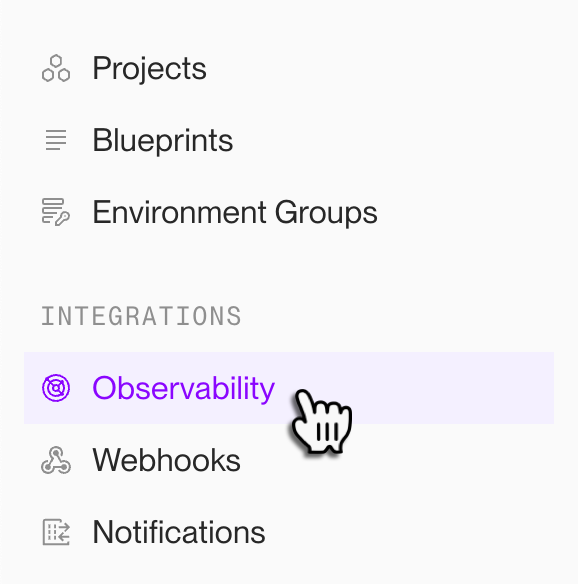
From your workspace's home in the Render Dashboard, select Observability in the left sidebar:
-
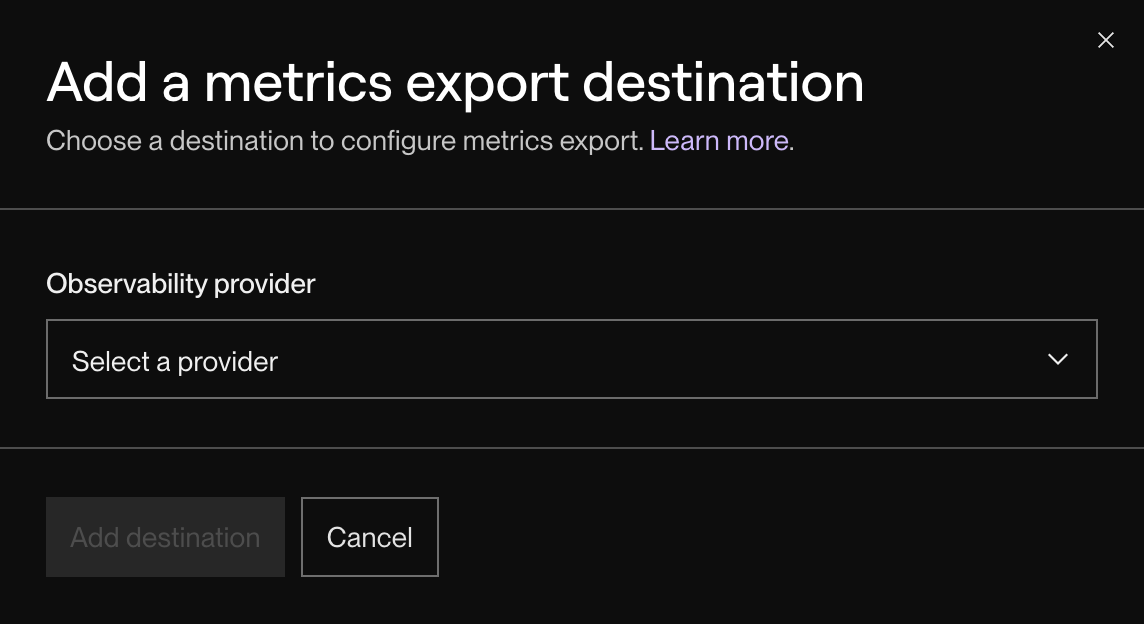
Under Metrics Stream, click + Add destination.
The following dialog appears:
-
Select your observability provider from the dropdown. The dialog updates to display fields specific to your provider.
If your provider isn't listed, select Custom. Learn how to connect a custom provider.
-
Fill in the provider-specific fields.
- See instructions for your provider below.
-
Click Add destination.


You're all set! Your provider will start receiving reported metrics from Render shortly.
Provider-specific config
When creating a metrics stream for your workspace, you provide different information depending on your observability provider:

Select the tab for your provider below, along with instructions for other providers. Please also consult your provider's documentation for additional information.
If there’s a provider you’d like us to add, please submit a feature request.
Better Stack
Obtain both your Ingesting host and Source token with the following steps:
-
From your Telemetry > Sources page in Better Stack, click Connect source.
-
Add a descriptive Name (e.g., "Render Metrics Integration").
-
Select Logs & Metrics, then choose Render as the Platform.
-
Click Connect source.
Better Stack creates the new source and redirects you to its details page.
-
Copy your source's Ingesting host URL and Source token.
Datadog
To simplify metrics ingestion with Datadog, Render pushes metrics in Datadog's native format instead of using OpenTelemetry.
Specify your Datadog site, according to where your Datadog data is hosted.
For API key, generate a new organization-level API key from your organization settings page. You cannot use an application key or a user-scoped API key.
Grafana
Obtain both your Endpoint and API Token with the following steps:
-
From your Grafana Cloud Portal (
grafana.com/orgs/[your-org-name]), click Details for the Grafana stack you want to use: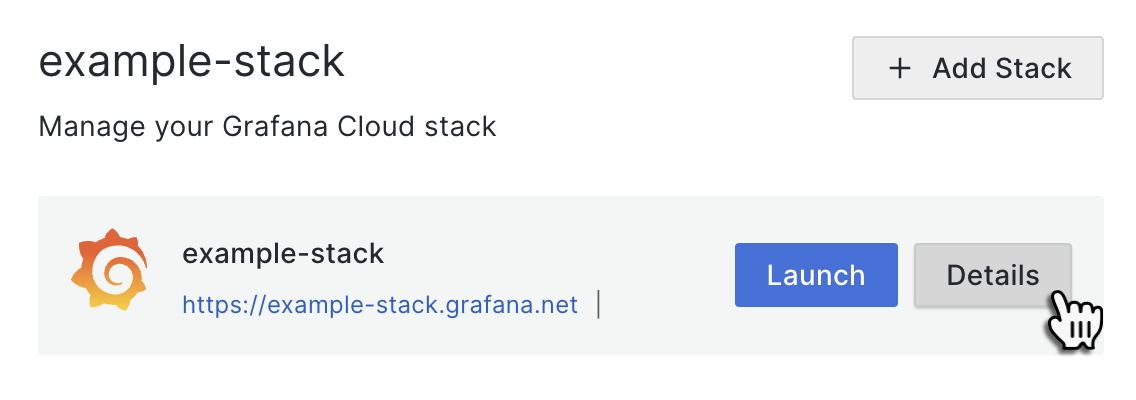
-
Find the OpenTelemetry tile and click Configure.
-
Copy the value of Endpoint for sending OTLP signals (this is your Endpoint).
-
Under Password / API Token, click Generate now.
-
Add a token name (e.g.,
render_metrics_integration). -
Click Create Token.
-
Copy the generated value starting with
glc_(this is your API Token).

For more details, see the Grafana documentation.
Groundcover
Obtain both your Groundcover Endpoint and API key with the following steps:
-
From your Groundcover dashboard, select Settings > Access > Ingestion Keys in the sidebar.
-
Click Create key.
-
For Key type, select Third Party.
Each ingestion key should be dedicated to a single data source for better security and manageability.
-
Add a descriptive name (e.g., "Render Metrics Integration").
-
Click Create.
-
Copy your Ingestion key and provide it as your API key in the Render Dashboard.
-
Copy your Managed OpenTelemetry endpoint URL and provide it as your Endpoint in the Render Dashboard.
For more details, see the Groundcover documentation.
Honeycomb
For Region, select US or EU according to where your Honeycomb data is hosted.
For API key, create a new key with the following steps:
-
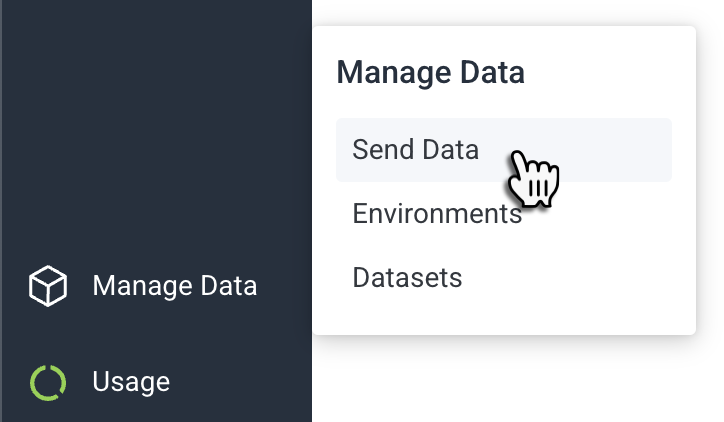
In your Honeycomb dashboard, hover over Manage Data on the bottom left and click Send Data:
-
Click Manage API keys.
-
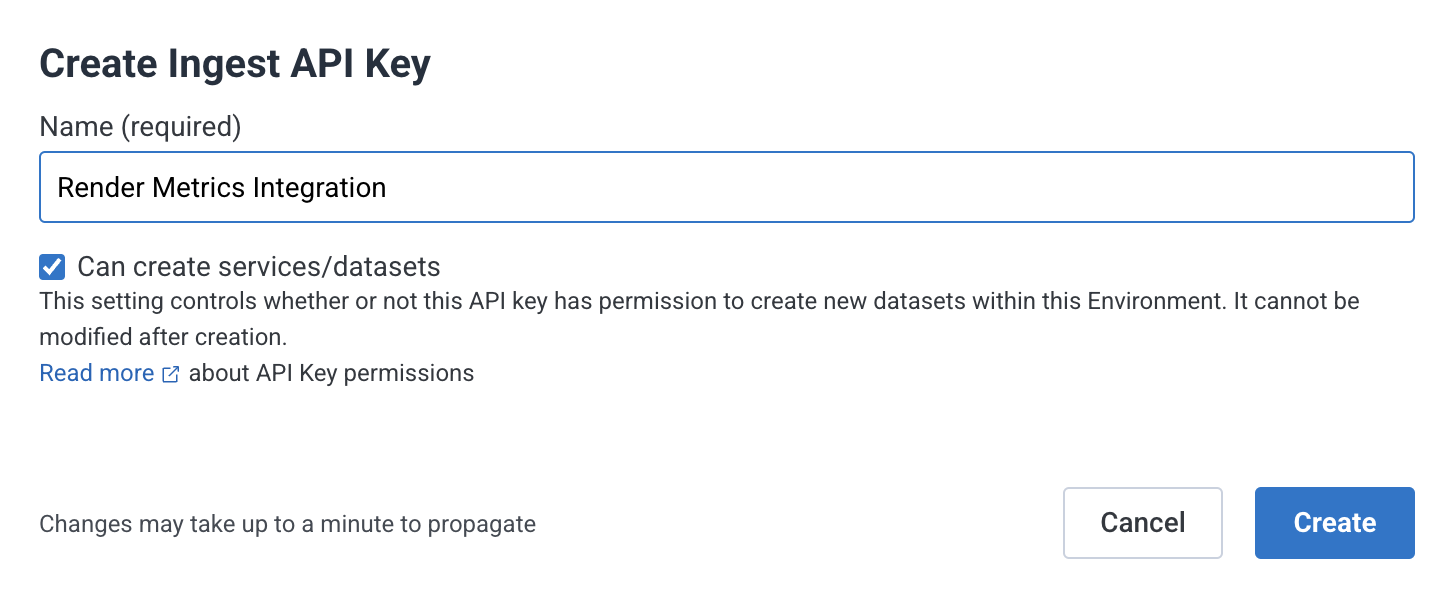
Click Create Ingest API Key.
The following dialog appears:
-
Add a descriptive Name (e.g., "Render Metrics Integration").
-
Make sure Can create services/datasets is enabled.
-
Click Create.


New Relic
For Region, select US or EU according to where your New Relic data is hosted.
For License key, create a new key with the following steps:
-
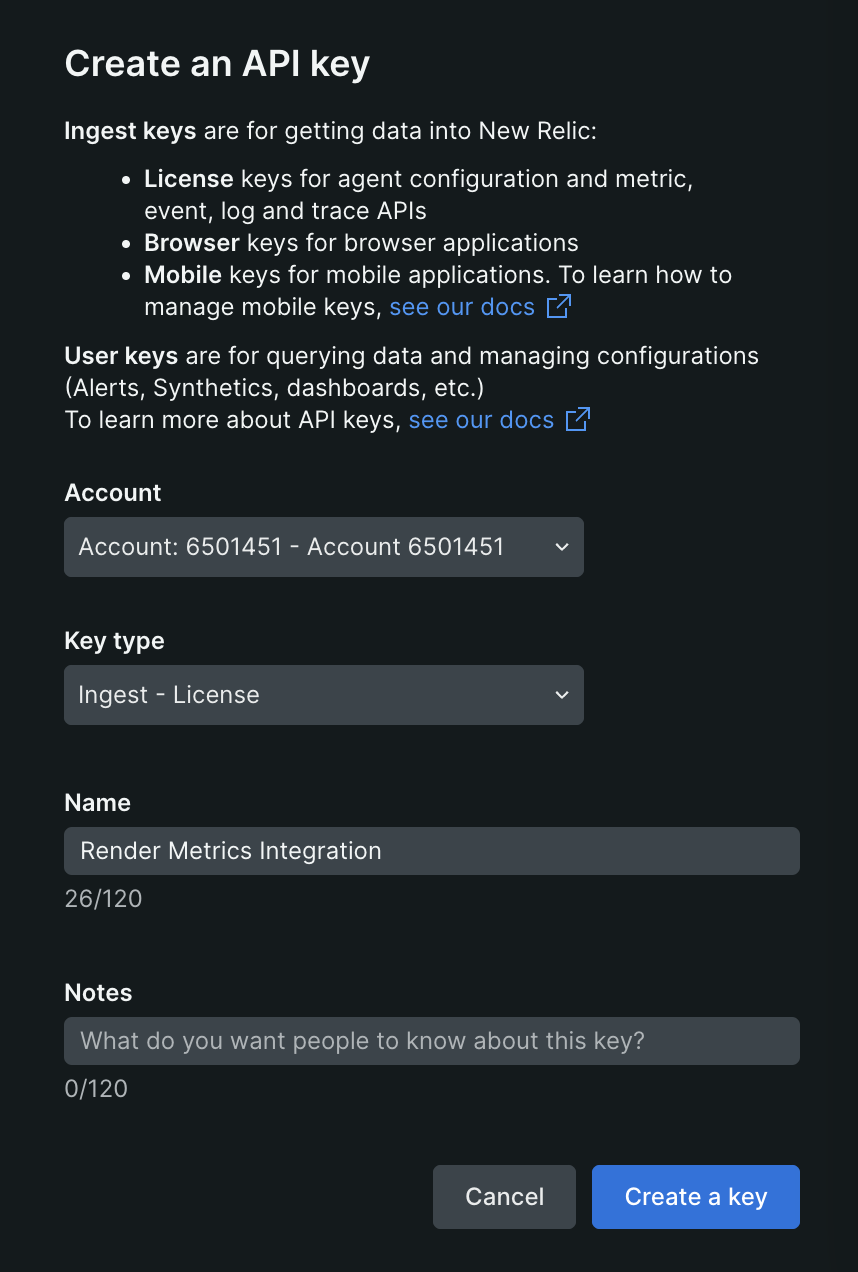
From your New Relic API keys page, click Create a key.
The following dialog appears:
-
For the Key type, select Ingest - License.
-
Add a descriptive Name (e.g., "Render Metrics Integration").
-
Click Create Key.

Pydantic Logfire
For Endpoint, select the US region.
Render currently supports only the US region for Logfire.
Obtain your Logfire Write token by doing the following:
- From your Logfire dashboard, select your project.
- Select Settings > Write tokens in the sidebar.
- Click New write token and provide a name.
- Click Create token and copy the token. Provide it as your Write token in the Render Dashboard.
For more details, see the Logfire documentation.
SigNoz
Obtain both your SigNoz Endpoint and Ingestion key with the following steps:
-
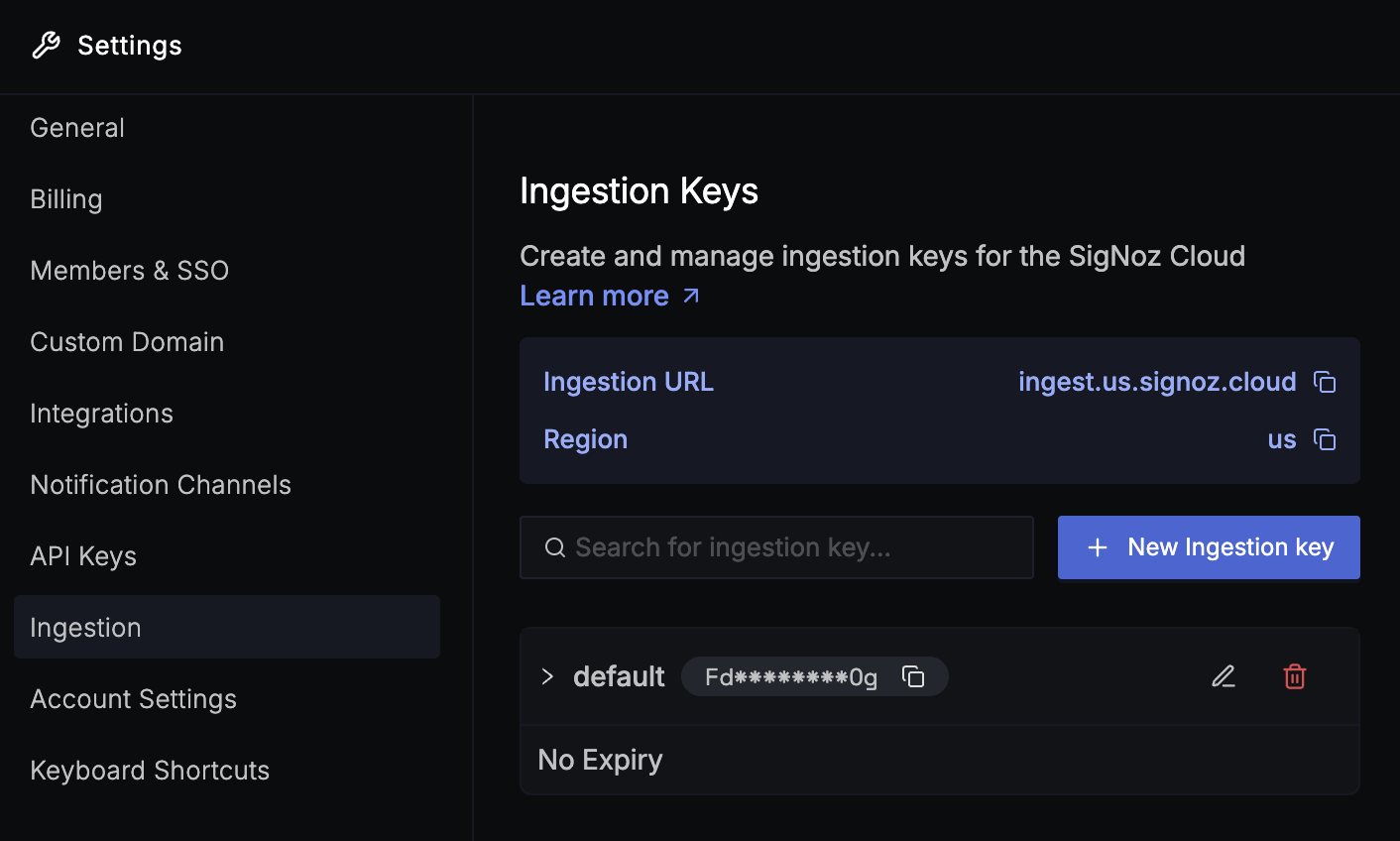
From your SigNoz Cloud dashboard, select Settings > Workspace Settings in the left sidebar.
-
Switch to the Ingestion tab:
-
Copy your Ingestion URL and provide it as your Endpoint in the Render Dashboard.
Make sure to include
https://at the beginning, for example: -
Create a + New ingestion key or copy an existing one. Provide this value as your Ingestion key in the Render Dashboard.

After you save your changes, Render metrics start to appear in the Metrics tab of your SigNoz Cloud dashboard within a few minutes:

Other providers (custom)
Consult this section only if your observability provider isn't listed above.
Render can push service metrics to your OpenTelemetry-compatible endpoint, if that endpoint authenticates requests via an API key provided as a bearer token in an Authorization header.
If your provider's endpoint supports authentication via bearer token:
-
Consult your provider's documentation to obtain your OpenTelemetry endpoint and API key.
-
Specify Custom as your provider in the metrics stream creation dialog, then provide your endpoint and API key in the corresponding fields.
If your provider's endpoint requires a different authentication method:
-
Please submit a feature request to let us know about your provider's requirements.
-
You can spin up your own OpenTelemetry collector (such as the official vendor-agnostic implementation). Your collector's endpoint can receive metrics from Render, then transform and forward them to your provider using whatever authentication method it expects.
Supported metrics
For the full list of OTel metrics streamed by Render, see the symbol reference.