Connect your Git Provider to Render
Deploy from GitHub, GitLab, Bitbucket, and Cursor Origin.
Render integrates with the following Git providers:
- GitHub
- GitLab
- Bitbucket
- Cursor Origin (beta)
After you connect your Git provider to Render, you can deploy services using any repository you have access to. Render automatically redeploys your service with every push to its linked branch (you can disable this).
Connecting your Git provider also enables pull request previews and provider-based sign-in.
Setup
Select the tab for your provider:
GitHub / GitLab / Bitbucket setup
-
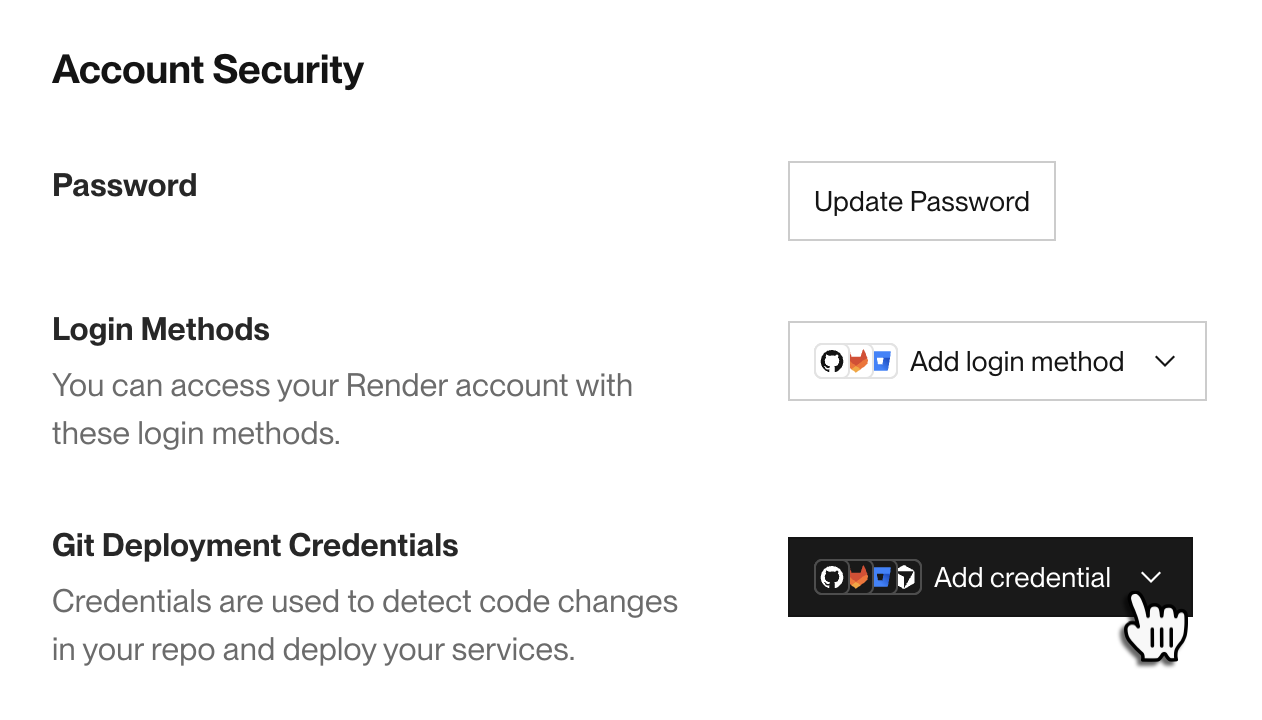
Open your Account Settings page and scroll down to the Account Security section:
-
Under Git Deployment Credentials, click Add credential and select the Git provider you want to connect.
This opens an authorization/connection flow with your Git provider.
-
Review the details of the connection and confirm.
- For GitLab, your account must have at least Maintainer or Owner permissions on a project to enable automatic deploys for it.

Cursor Origin setup
Cursor Origin and its Render integration are currently in beta.
A Cursor workspace admin must install the Render app before other members can connect. To install or connect to the Render app, do the following:
-
Open your Account Settings page and scroll down to the Account Security section:
-
Under Git Deployment Credentials, click Add credential and select Cursor Origin.
-
Click the option that applies to you:
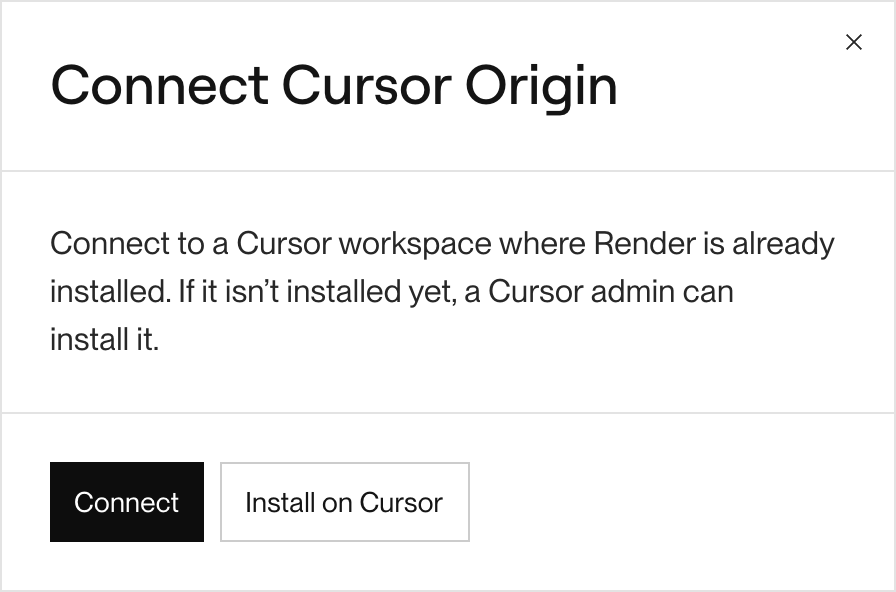
- Connect: Choose this option if Render is already installed in your Cursor workspace.
- Install on Cursor: Choose this option if you're a Cursor admin and Render isn't installed in your workspace yet. Cursor prompts you to install the Render app.

You're all set! Whenever you create a service, you can link any repository from your connected providers:

Previewing pull requests
Render can automatically build and deploy a preview of your service for every pull/merge request opened against your service's linked branch:

- Every PR preview is deployed to a unique
onrender.comsubdomain. - Render redeploys a PR preview with every push to the PR's branch.
- Render automatically deletes a PR preview when its PR is merged or closed.
Pull request previews work with all supported Git providers. For details, see Service Previews.
Signing in with your Git provider
Sign-in with Cursor Origin is not supported.
You can sign up for Render and sign in to the Render Dashboard with your GitHub, GitLab, or Bitbucket identity:

If you already have a Render account that matches your Git provider account's primary email address, Render logs you in to the existing account automatically.
Learn more about managing login methods.
Git submodules
If your repository defines a .gitmodules file at its root, Render automatically reads it and clones all specified Git submodules as part of your service's build process.
Render attempts to clone Git submodules using the credentials associated with your connected Git provider. Private submodules must be accessible with those credentials.
Provider-specific details
GitHub details
Troubleshooting
If your GitHub deploys aren't working as expected, this might be caused by misconfiguration of Render's GitHub app. For example, it might be configured for the wrong set of repositories, or a repository that was previously public might have been made private.
Fixing GitHub app permissions
Visit github.com/apps/render/installations/new to install the Render app in a new organization or configure an existing installation:

From here, check the Repository access section to make sure your repository is included.

Team-specific issues
If the creator of a Render service loses access to that service's connected GitHub repository, it can disrupt deploys for that service. You can update the Git credentials used to deploy a service from the service's Settings page in the Render Dashboard:

Before you make this change, make sure that the new credentials have access to the service's Git repository.
Cursor Origin details
Cursor Origin and its Render integration are currently in beta.
GitHub-mirrored repositories
Cursor Origin supports mirroring GitHub repositories. The following Render features are unavailable for mirrored repositories:
To use these features, you can connect the original GitHub repository to your service instead of its Cursor Origin mirror.