Native Runtimes
Run your app in an environment that's pre-configured for your language.
Render provides native runtimes for the following programming languages:
- JavaScript / TypeScript (supports both Node.js and Bun)
- Python
- Ruby
- Go
- Rust
- Elixir
Each native runtime preloads your service's environment with relevant utilities for its language. This enables you to set common build and start commands for your service (e.g., npm install and npm start) without first needing to install the corresponding tools.
You set your service's runtime while creating your service and can change it later if needed.
What about Docker?
Render also provides two Docker-specific runtimes: one for building from a Dockerfile and one for pulling a prebuilt image.
Use Docker in the following scenarios:
- Your application already uses Docker.
- Render doesn't provide a native runtime for your application's language (e.g., PHP, .NET, or a JVM-based language).
- You want full control over which tools and libraries are present (and absent) in your runtime environment.
Changing a service's runtime
You can change an existing service's runtime in any of the following ways:
Changing runtimes via Dashboard
-
From your service's Settings page in the Render Dashboard, scroll down to the Build section.
-
Under Source, click Edit.
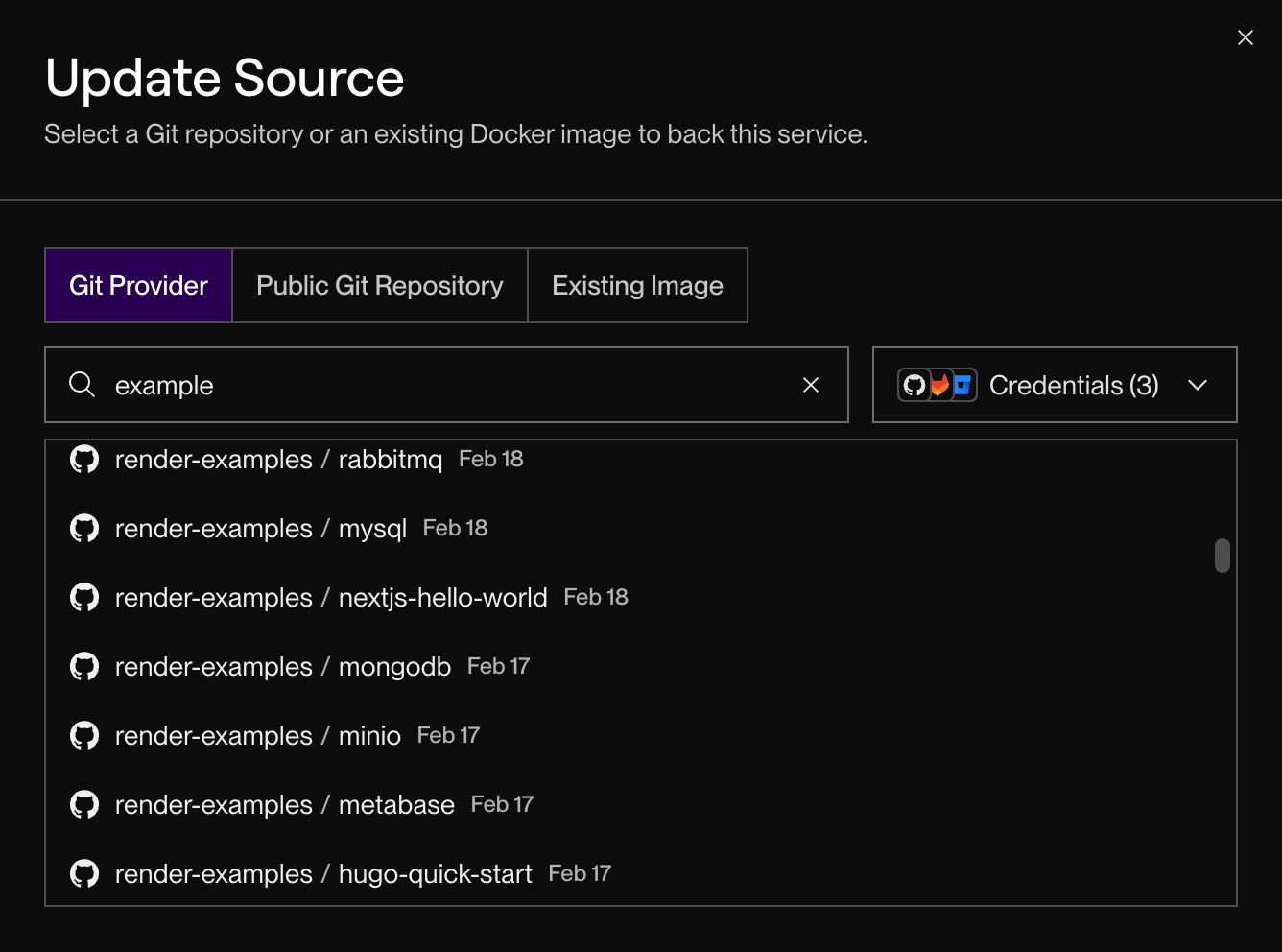
The Update Source dialog appears:
-
Select your service's current backing Git repo or Docker image (or select a new source if you're also changing it).
-
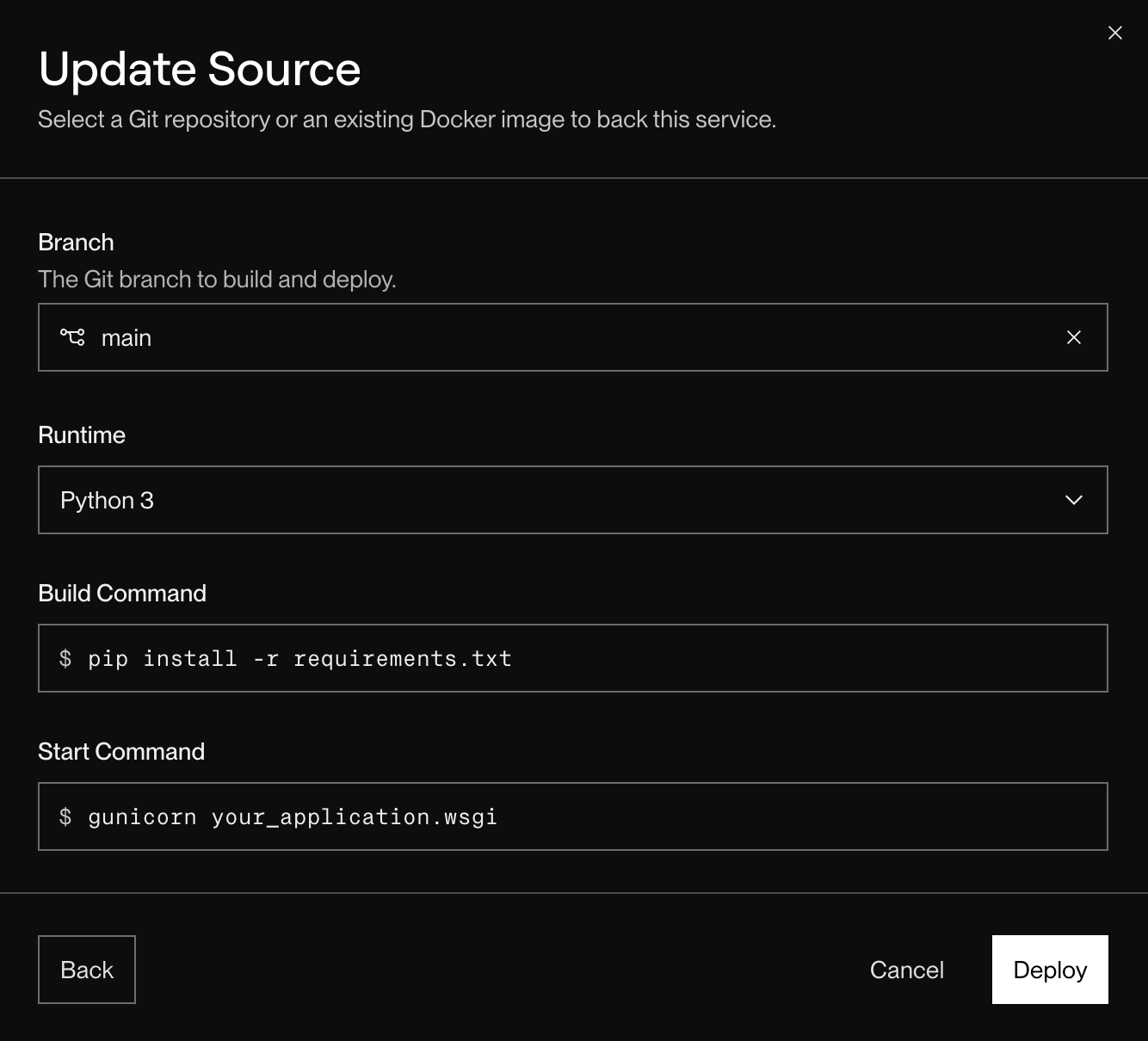
The Update Source dialog now prompts you to specify a Branch and Runtime, along with build and start commands (unless you're using Docker):
-
Provide values for these fields based on your new runtime and click Deploy.


Render kicks off a deploy using your new runtime and configuration.
Changing runtimes via API
-
Send a request to the Render API's Update service endpoint. In your request, specify a new
runtimevia theserviceDetailsparameter. -
Follow up with a request to the Trigger deploy endpoint to trigger a new deploy.
Changing runtimes via Blueprint
If you're managing your service with Render Blueprints, update the service's runtime field in your render.yaml file, then sync your Blueprint.
Tools and utilities
All Render native runtimes run on Debian 12.x, "bookworm", which includes a broad general-purpose build toolchain.
Additionally, all native runtimes include the tools listed below.
To use a tool that isn't included in Render's native runtimes, or to omit tools you don't need, you can deploy with Docker instead.
| 🟢 | Available both during builds and at runtime |
| 🟨 | Available during builds only |
🟢 bun🟢 curl🟢 ffmpeg🟢 g++🟢 gcc🟢 gettext🟢 ghostscript🟢 git🟢 gnupg2🟢 imagemagick🟢 jq🟢 libvips-dev🟢 libvips-tools🟢 make🟢 nano🟢 node🟢 npm🟢 pandoc🟨 pigz🟢 pnpm🟢 postgresql-client🟢 postgresql-client-12🟢 postgresql-client-13🟢 postgresql-client-14🟢 princexml🟢 python3-dev🟢 python3-pip🟢 python3-setuptools🟢 rsync🟢 sqlite3🟢 swig🟢 typescript🟢 unzip🟢 vim🟢 webpack🟢 wget🟢 yarn🟢 zip
Feature support
All native runtimes support the same set of platform-wide features, including:
- Automated builds and deploys
- Infrastructure as Code support with Blueprints
- Regular updates to native runtimes to improve functionality, security, and performance
- Private networking, load balancing, and service discovery
- Optional persistent disk storage
- Automatic Brotli and gzip compression for faster responses
- Easy HTTP health checks and zero-downtime deploys
- Automatic pull request previews
- Native HTTP/2 support
- DDoS protection
- Automatic HTTP → HTTPS redirects