Build durable, long-running AI workflows and background jobs with an SDK. Now in beta for TypeScript and Python.
Deploying background workloads for your agents and apps should be as simple as pushing the code.
Instead, running them reliably still means standing up your own queues, workers, state management, and retry infrastructure.
We’re launching Render Workflows to help you build reliable, long-running processes like agent logic, data pipelines, and billing flows without making distributed systems your full-time job.
Define tasks and chained logic in your TypeScript or Python code using the Render SDK, and trigger them from anywhere. Render handles the infrastructure to make your workflows low-latency, stateful, and resilient.
Fully-managed execution
A Workflow service in Render is an all-in-one package of queuing, worker pools, state management, retry logic, and observability. You define processes as a collection of tasks in your code using the Render SDK, deploy your code as a Workflow service in Render, and Render handles execution whenever you trigger a task.
For you, that means:
Just write code. Use the Render SDK to turn any function into a durable task with its own retry behavior. Like regular functions, you can chain tasks to define multi-step logic and parallel execution.
Automatic infrastructure. When you trigger a task, Render spins it up in its own isolated container within milliseconds and automatically serializes and transports args to containers for chained tasks.
Parallel execution. Parallelize heavy workloads across hundreds of concurrent containers. Render automatically handles scheduling and provisioning for tasks that are invoked in parallel.
Cost scales to zero. You only pay for the compute your tasks run on, prorated to the second. If you aren’t running any tasks, you aren’t paying anything. You can also define the compute plan for each task independently to optimize your spend for lighter and heavier tasks.
Run, observe, and debug in one place. Your tasks run on a private network alongside your other Render services. You can see a unified view of metrics and logs for every task run in the Render dashboard. No glue code. No jumping between dashboards to debug a failed run.
Define workflow tasks
Your workflow is a collection of tasks. Tasks are just as flexible as regular functions, but each can have its own retry logic, timeout, and compute plan.
In TypeScript, you define tasks using the task() wrapper function. In Python, use the @app.task decorator:
To configure retry behavior, timeout, and compute for your task, add them directly to the task definition:
Workflows are most useful when you need to run complex processes made up of many sequential and parallel tasks. You can build that logic by chaining tasks just like you would normal functions.
For example, an agent that generates code for a web app may need a loop that chains multiple LLM calls and sandboxes to generate, validate, and display a preview to the user after a prompt:
Trigger tasks
With your tasks defined, you can deploy your code as a Workflow service on Render and start triggering tasks.
Typically, you’ll trigger tasks directly from your application code for other services on Render:
You can also trigger tasks from external services using the Render API or manually through the Render Dashboard.
Distributed execution, central observability
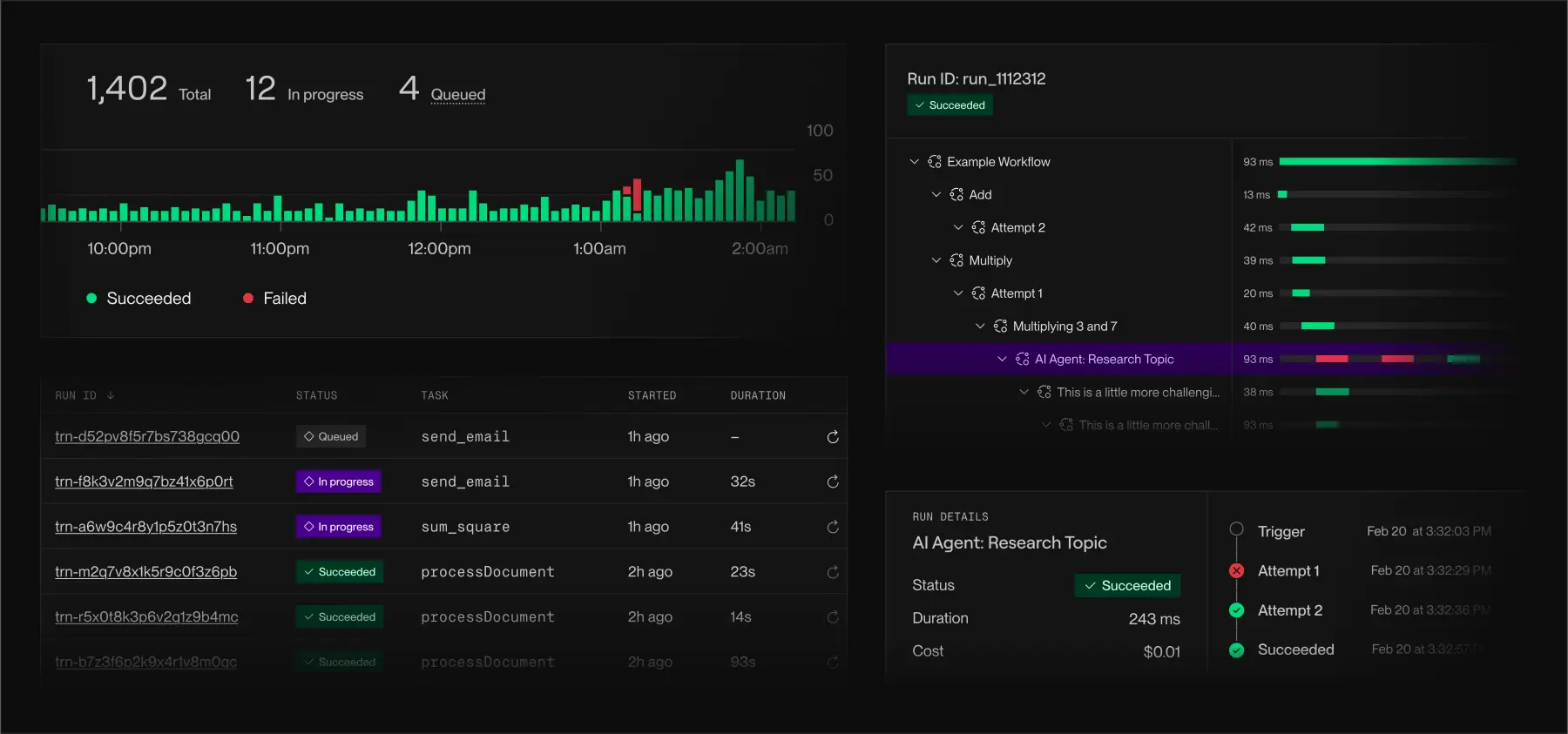
Because Render handles all of the infrastructure for your workflows from start to finish, it gives you a unified view of traces, metrics, and logs across every executed task without any additional setup.
You can analyze the reliability of individual tasks, monitor for opportunities to optimize compute, and debug failed runs through a single dashboard or CLI.
Workflow examples and agent skills
To see some of the systems you can implement with Workflows, explore our curated examples in the Workflows Playground. You can also spin up an example workflow locally with the Render CLI:
Workflows are defined entirely in your code using an idiomatic SDK, so Claude Code, Cursor, Codex, and other agents can reason about them and build them for you.
To teach your agents how to build and debug workflows, install the workflows agent skill:
For the future of intelligent apps
Workflows are designed to let you build reliable, scalable, intelligent apps by just writing code.
AI agents need infrastructure shaped for long-running, stateful workloads. They depend on complex, multi-service agent loops, data pipelines, and other orchestration patterns that allow individual tasks to fail, retry, and parallelize gracefully.
With Workflows, you define that logic in your codebase and deploy it instantly, keeping you focused on building your product rather than infrastructure.
Over the course of beta, we’ll be extending Workflows to expand the breadth of processes you can build:
- Vertically autoscale task compute to optimize performance and cost
- Kick off tasks via cron
- Pause and resume workflows
- Checkpoint state to recover from interruptions
- Additional language support
You can start building workflows today with the TypeScript and Python SDKs. Read the Workflows Docs to learn more.